
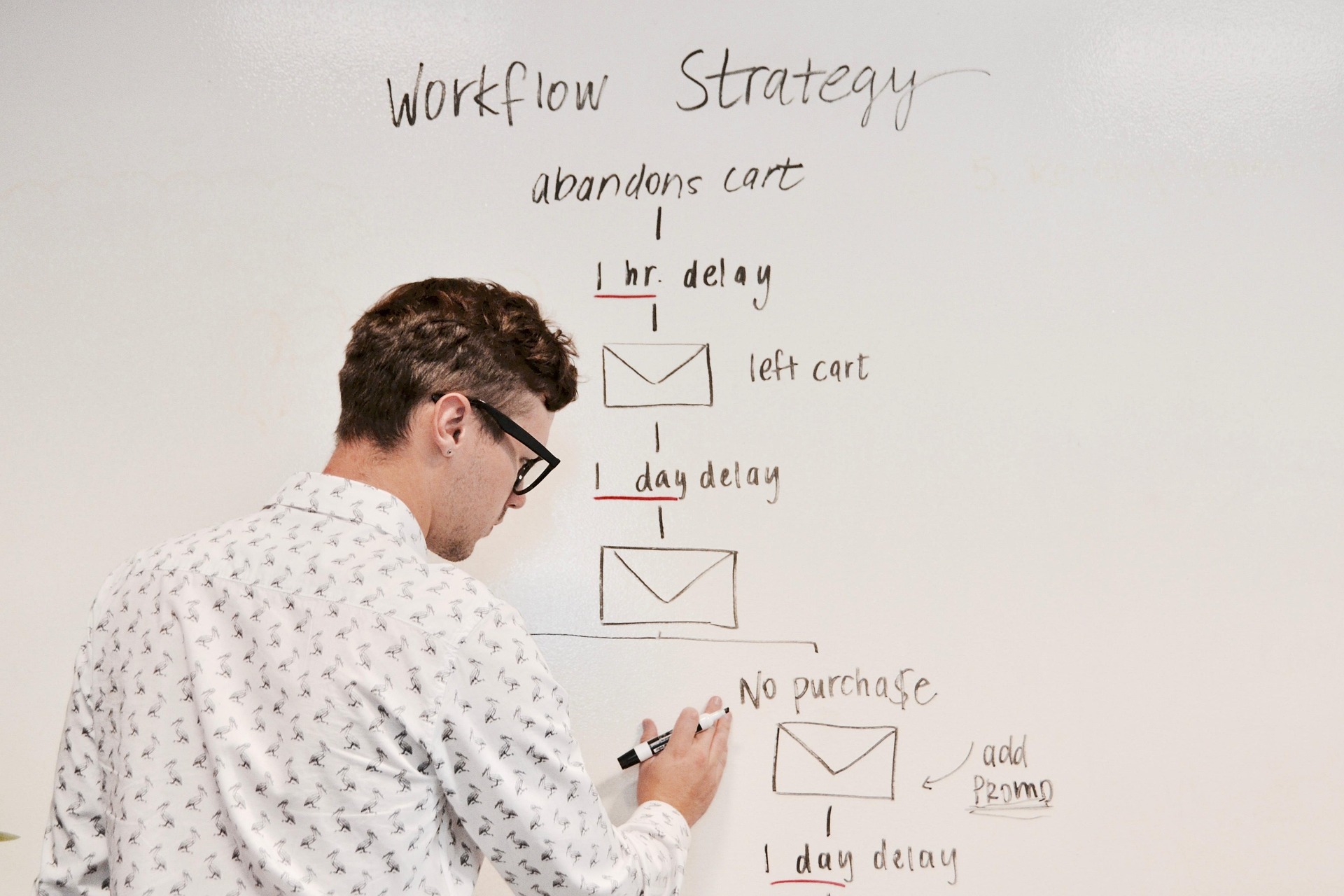
Abandoned cart email is a lifecycle workflow for shoppers who began a purchase but did not complete it. The right sequence depends on the buying cycle, cart value, customer relationship, product category, and the reason the checkout stopped.
Start With the Checkout Problem
Recovery email cannot fix every abandonment reason. Unexpected costs, account requirements, payment limitations, trust concerns, slow checkout, and simple distraction require different responses. Fix the checkout itself where possible before using email to compensate for it.
Trigger the Workflow Only When It Makes Sense
Cart recovery requires a known contact and a clear abandoned state. The workflow should stop immediately when the purchase completes, the cart becomes irrelevant, or the recipient unsubscribes.
Build the Sequence Around Intent
Reminder
Show the cart clearly and make it easy to return. For high-intent purchases, the first reminder can be relatively soon after abandonment, but there is no universal one-hour rule.
Objection Handling
A later message can address a likely friction point: shipping information, return policy, product details, support, trust, compatibility, or social proof.
Offer or Final Reminder
Discounts, free shipping, or another incentive can be tested when margin and customer behavior justify it. Do not assume every cart needs an incentive or that the offer must always appear in a specific email number.
Subject-Line Approaches
- product-specific reminder;
- clear cart status;
- support-oriented question;
- real deadline when inventory or promotion genuinely changes;
- benefit or objection framing.
Avoid claiming certain words automatically trigger spam. Modern filtering evaluates broader sender, authentication, complaint, content, and behavioral signals. See email spam trigger words and modern filtering.
Personalize With Known Cart Context
Useful personalization can include the actual product, variant, cart value, customer status, or a known preference. Do not add unrelated behavioral detail simply because it is available.
For broader guidance, see email personalization examples.
Segment Recovery Where It Changes the Message
- new vs. returning customer;
- low vs. high cart value;
- different product categories or consideration cycles;
- known customer vs. guest checkout;
- domestic vs. international shipping context;
- promotion-based vs. non-promotion carts.
Technical Controls
- real-time purchase suppression;
- working cart or checkout deep link;
- correct product and price data;
- frequency coordination with other automations;
- mobile rendering;
- valid unsubscribe and preference handling;
- event tracking for recovery attribution.
Where Email Verification Fits
If an address is captured during checkout, real-time validation can help prevent clearly unusable data from entering downstream automation. Use the Email Verification API for automated collection flows.
Verification does not prove that a cart-recovery email is legally permitted in every jurisdiction. Permission and transactional-marketing rules must be handled separately.
How to Measure Cart Recovery
- recovered revenue;
- recovered orders;
- conversion from the workflow;
- revenue per recipient;
- average order value;
- unsubscribe and complaint behavior;
- incremental lift against a holdout where feasible.
Common Abandoned-Cart Mistakes
- not suppressing completed purchases;
- using fixed timing without testing the buying cycle;
- offering discounts automatically to every shopper;
- sending several recovery messages while other automations also fire;
- using fake inventory scarcity;
- measuring only opens and clicks instead of recovered orders;
- using a broken or generic destination instead of the shopper's cart.
For the workflow mechanics behind this type of lifecycle campaign, see how email automation works. For audience rules, see email segmentation.
Frequently Asked Questions
How many abandoned-cart emails should I send?
There is no universal number. Use enough messages to address the buying cycle without creating unnecessary frequency or conflict with other customer communications.
When should the first cart reminder be sent?
Test based on the product and purchase cycle. A low-consideration ecommerce item and a high-value purchase do not need the same delay.
Should every abandoned cart get a discount?
No. Test incentives against a no-discount control and measure incremental revenue and margin.
Bottom Line
Cart recovery is a lifecycle system, not a fixed three-email recipe. Use accurate cart data, immediate purchase suppression, context-aware timing, honest messaging, and revenue-based measurement.

%20How%20to%20reverse%20lookup%20an%20email%20address%202.jpg)

%2520What%2520is%2520a%2520valid%2520email%2520address.jpeg)